
At Mtalkz, use the WhatsApp Business API to automate customer communication with chatbots, AI agents, and business messaging. Get started with instant onboarding and 24/7 expert support.






Better than industry standard
Monthly automation benefits
Enterprise-grade reliability
Continuous innovation
Average savings for clients
WhatsApp Business API is an effective solution that enables businesses to communicate with their customers on WhatsApp at scale. Through API integration, you can connect WhatsApp with your business systems and send notifications, respond to customer queries, and automate conversations.
API is not like a WhatsApp Business App; it is designed to manage conversations with more than one person. It connects WhatsApp with CRMS, AI agents, chatbots, and other business tools to automate customer communication.
At Mtalkz, get the whatsapp business api for bulk messaging to increase customer engagement, build loyalty, and reduce communication costs.
Here’s why it’s time to get WhatsApp Business API for your business:
By leveraging WhatsApp Business API through Mtalkz, you can enhance loyalty, increase conversions, and reduce communication costs—all while scaling globally.

As a trusted WhatsApp Business API provider in India, we help you launch, manage, and scale customer conversations with quick onboarding and effective support, whether you are a startup or an enterprise.
Mtalkz has consistently helped businesses reduce communication costs by up to 20% while improving delivery rates by 30%. By choosing us, you don’t just get a WhatsApp Business API provider; you get a long-term partner dedicated to your growth.
.Setting up WhatsApp Business API with Mtalkz is simple, quick, and transparent.
Sign up with Mtalkz and share basic business details.
Complete Facebook Business verification and get your WhatsApp Business profile approved.
We provide a seamless onboarding experience with free setup and documentation support.
Connect our API with your CRM, ERP, or customer service tools for effortless communication.
Send transactional updates, marketing messages, or customer support responses instantly.
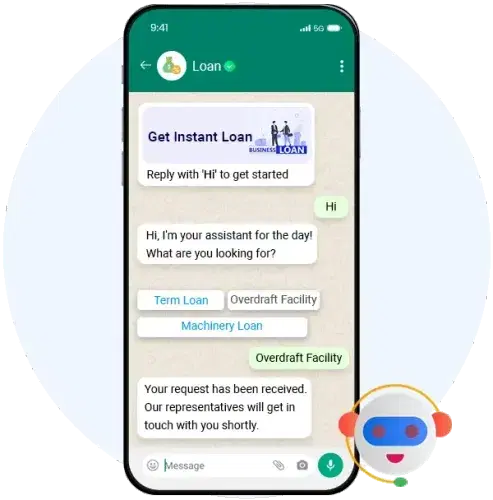
When you choose Mtalkz to get WhatsApp Business API, you unlock a wide range of enterprise-grade features designed to simplify communication and boost engagement.
Mtalkz ensures that every feature is backed by reliability, scalability, and compliance.
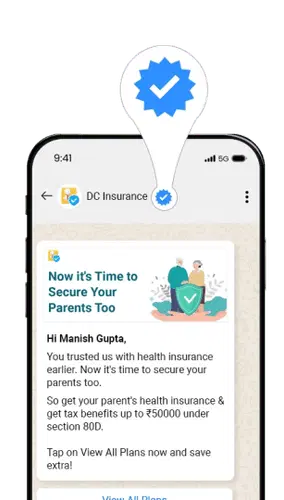
At Mtalkz, we believe in simple and transparent pricing with no hidden costs. Whether you’re a startup sending a few hundred messages or an enterprise managing millions of conversations, we have scalable plans that grow with your business.
At Mtalkz, get WhatsApp Business API for bulk messaging and maximize ROI with our cost-effective and scalable solutions.
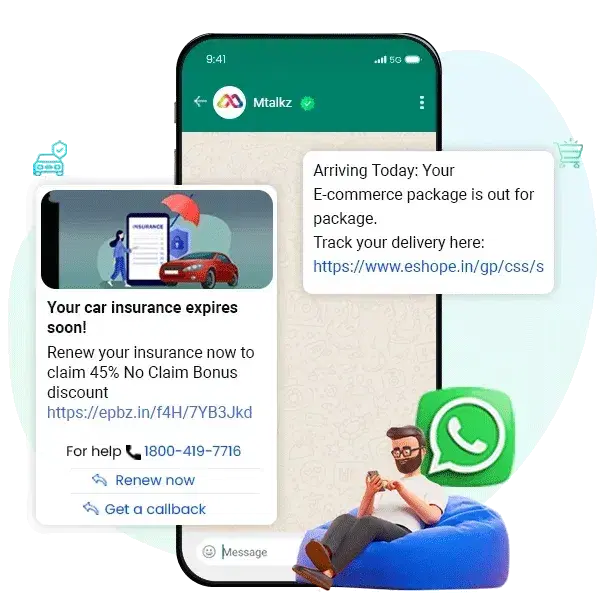
Don’t just manage everything manually; Automate the basics and let the human do the complex.
At Mtalkz, we serve a diverse range of businesses and help them meet their customer engagement goals at the best prices.
For Startups
For SMEs
For Enterprises
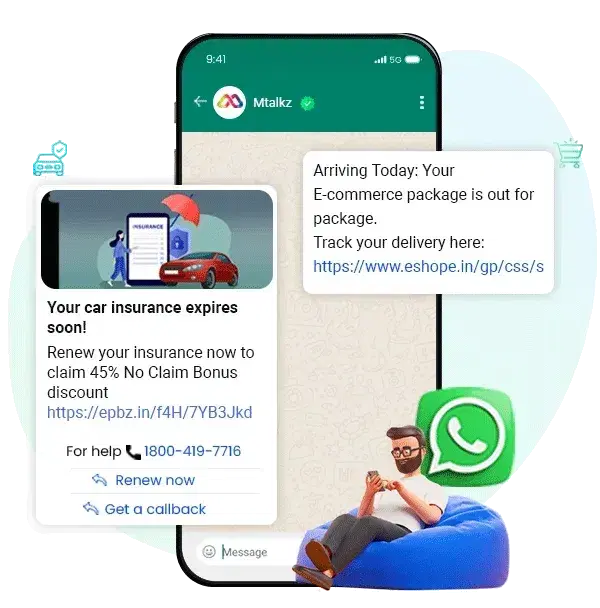
Designed for promotion, offers, and product announcements to drive engagement. Follow Meta-approved guidelines for no issue. You need to spend more compared to other message categories.
Specifically used for continuing customers’ existing transactions, such as order updates, delivery updates, and appointment reminders. They require lower cost and fast approval.
These message templates are used for OTPs and login verification. You need Meta approval and follow a fixed, simple format for speed and security.
| WhatsApp Business App Best for Small Business | WhatsApp Business API Better for Growing Businesses & Enterprises | |
|---|---|---|
| Bulk Messaging | Not Supported | Supported with approved message template |
| Automation | Basic auto-replies | Advanced automation and chatbots |
| API Integration | No | Yes |
| Campaign Management | No | Yes |
| Shared Team Inbox | No | Yes |
| Customer Segmentation | Limited | Advanced |
| Analytics & Reports | Basic | Advanced insights & reporting |
| Verified Business Profile | Limited | Supports official business verification features |
Get the WhatsApp Green Tick to boost credibility and assure customers of your verified business status.
Complete Your Profile: Ensure your business profile is fully filled out with accurate information, including your business name, description, and contact details.
Submit the Verification Request: Use the WhatsApp Business API to submit your verification request. This process involves proving your business’s authenticity.
Provide Required Documentation: Be prepared to provide documentation that supports your claim as a WhatsApp verified business, such as business registration documents or tax identification.
Await Approval: After submitting your request, wait for WhatsApp to review and approve your application. The verification process can take some time, so patience is key.

Fast Onboarding, Premium Routes, High Delivery Percentage, and Unbeatable Pricing
We offer a high-performance platform with an advanced UI, comprehensive WhatsApp API suite, and seamless WhatsApp business API integration, surpassing industry standards for WhatsApp marketing automation and user engagement.
Our platform delivers immediate value with up to 20% cost reduction from day one.
Our consultancy-based approach optimizes spend by utilizing WhatsApp marketing strategies, enhancing template effectiveness, and selecting the best channels for your campaigns, ensuring significant cost savings and maximizing impact.
We trust our employees, whose dedication ensures an exceptional experience for enterprise needs
Our services include SMS, WhatsApp, RCS, Truecaller, Voice, IVR, automation, and email. We offer comprehensive messaging solutions,
Onboard with us and enjoy complimentary onboarding for other channels. Plus, receive free credits and up to 5% additional savings.
Everything you need to know about our services. Can't find the answer you're looking for? Contact our support team
You can connect WhatsApp Business API with a chatbot or AI agent to automate basic business communication. It will help you to answer queries, qualify leads, and share product information.
Yes, you can send payment reminders, OTPs, and order updates via WhatsApp. But make sure to use the official WhatsApp Business API rather than the basic WhatsApp application.
Direct-to-consumer (D2C) brands send reminders on WhatsApp to customers who leave items in their carts. The message includes a reminder about the products, answers to questions about the purchase, and a direct link back to checkout.
To generate leads and follow-ups through WhatsApp, you can connect it via ads, website buttons, QR codes, and landing pages. It will trigger the conversation and qualify the leads directly inside WhatsApp.
Generally, it takes 3 to 10 business days to get WhatsApp Business API approval. Make sure to submit the correct documentation to ensure the process is performed smoothly.
WhatsApp Business API is an official feature, designed and developed by Meta for effective customer communication at scale. It is different from the WhatsApp Business App as it easily integrates with CRM, automates the flow, and enables chatbots for handling bulk messages.
Using WhatsApp Business API, companies can send automated notifications, run marketing campaigns, and manage customer support using live chat or chatbots.
You need to wait for at least 1 to 7 business days to get approval for the WhatsApp Business API. Moreover, the exact time depends on the verification of your Meta Business Manager and document submission.
No, WhatsApp Business API is not entirely free. Meta gives you free access through the Meta Cloud API, but you still need to pay for the messages you send. If you connect with a Business Solution Provider, you have to pay for platform or service charges.
Yes, you can send bulk messages using the WhatsApp Business API. You can use pre-approved message templates to send promotional offers, order updates, appointment reminders, and other notifications to many customers at the same time.
To get the green tick or official Business Account (OBA) badge, you need to follow the Meta policies. Firstly, you need a WhatsApp Business API account and a verified Meta Business account. After reviewing your application, brand authenticity, and public presence, you will get approval for a green tick.
WhatsApp message templates are pre-approved messages that are written in a specified pattern to start conversations with customers. Whether you want to send an order update or delivery notifications, you can use message templates and update your customers accordingly.
You can connect WhatsApp Business API with a chatbot or AI agent to automate basic business communication. It will help you to answer queries, qualify leads, and share product information.

